
Our platform supports the installation of enterprise applications on iOS devices using OTA (Over-The-Air). This method is ideal when the application is installed by opening a special link directly in the browser.
What is Installation via OTA?
OTA (Over-The-Air) is a method of downloading and installing iOS applications onto device using a special link (Manifest URL) that points to a .plist file. This approach is used for the private distribution of enterprise applications within an organization.
How to install
1. Open the Application management
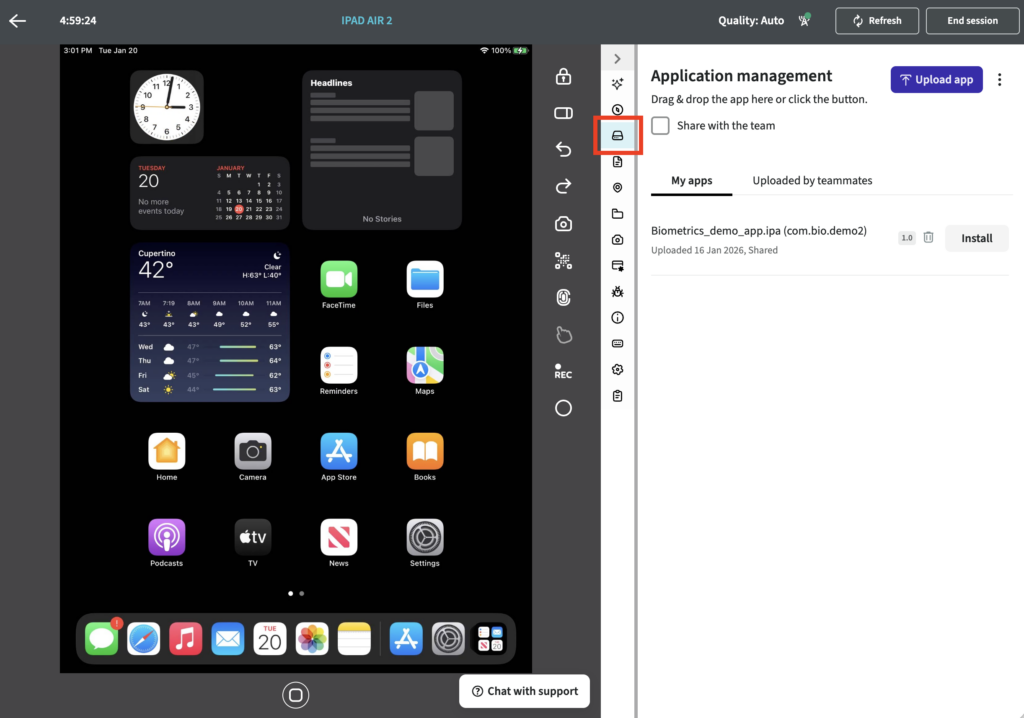
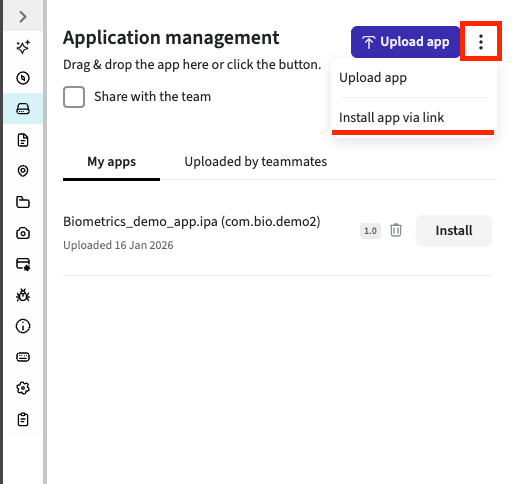
2. Click on kebab menu -> Install app via link
3. Input your link (Manifest URL) and click Install
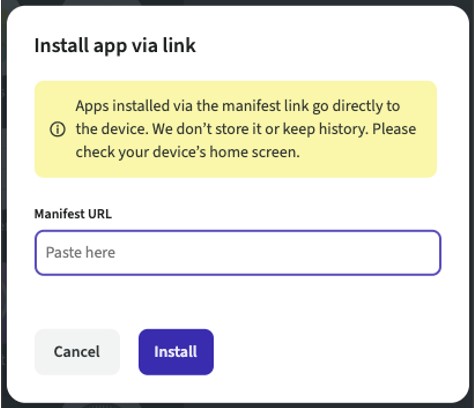
- Note: Ensure the URL starts with “https://” for security purposes
Once the Manifest URL has been entered and submitted, the enterprise application will begin to load onto the device.
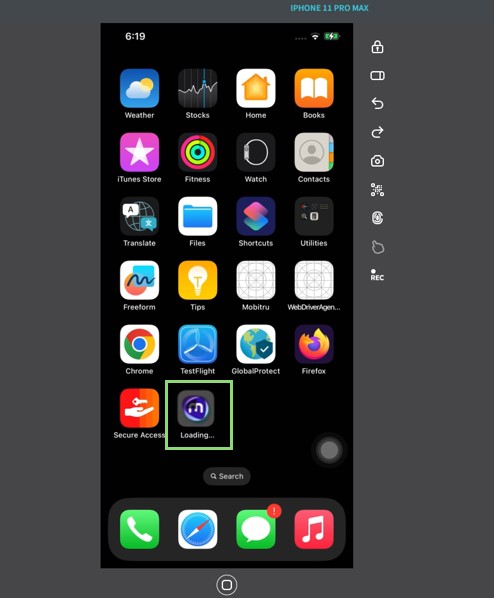
Example installation link (Manifest URL):
- itms-services://?action=download-manifest&url=https://example.mobitru.com:2030/manifest.plist
- itms-services://?action=download-manifest&url=https%3A%2F%2Fexample.mobitru.com%3A2030%2Fmanifest.plist
- https://example.mobitru.com:2030/manifest.plist
How to install applications over-the-air using API, please refer to the documentation: apiDoc: Mobitru API.