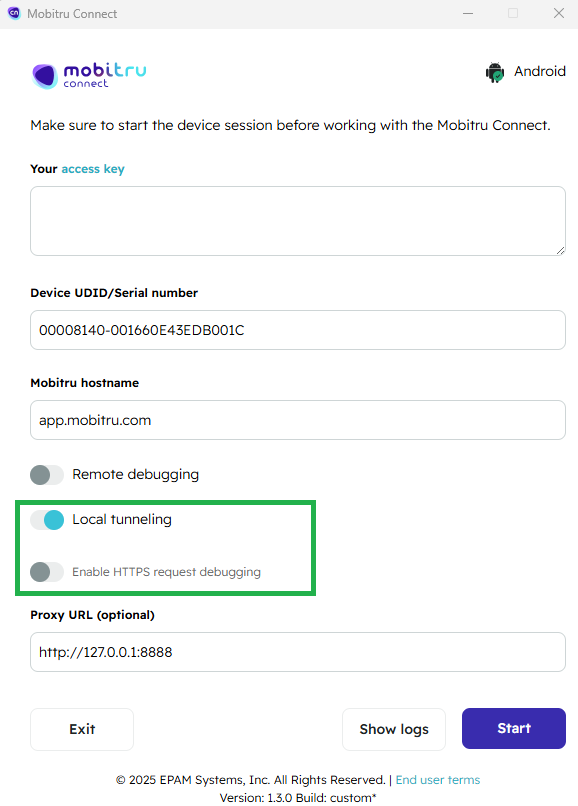
Mobitru Connect : ‘Enable HTTPS request debugging’ option added
OTA installation will not work if the ‘Enable HTTPS request debugging’ toggle is enabled in Mobitru Connect.
When should the toggle be inactive?
If you want to connect via Local Tunneling using Mobitru Connect and perform an OTA installation of an enterprise app, it is important to keep the ‘Enable HTTPS request debugging’ toggle turned off.
Flow:
- Open Mobitru Connect (how to run Mobitru Connect proxy )
- Ensure the ‘Enable HTTPS request debugging’ toggle is not enabled.
- Connect to your device using Local Tunneling.
- Proceed with OTA installation of the enterprise app.
Starting from Mobitru Connect version 1.3.0, this step is required for successful OTA installation via Local Tunneling.